Google DeepMind's Magenta RealTime 2 (MRT2) runs a 230M or 2.4B parameter transformer locally on Apple Silicon, generating music continuously at 25 frames per second. The C++ engine is well-engineered and the public API is small. Getting it to sound right in a player, however, required working through a handful of non-obvious problems that the header files don't call out immediately.
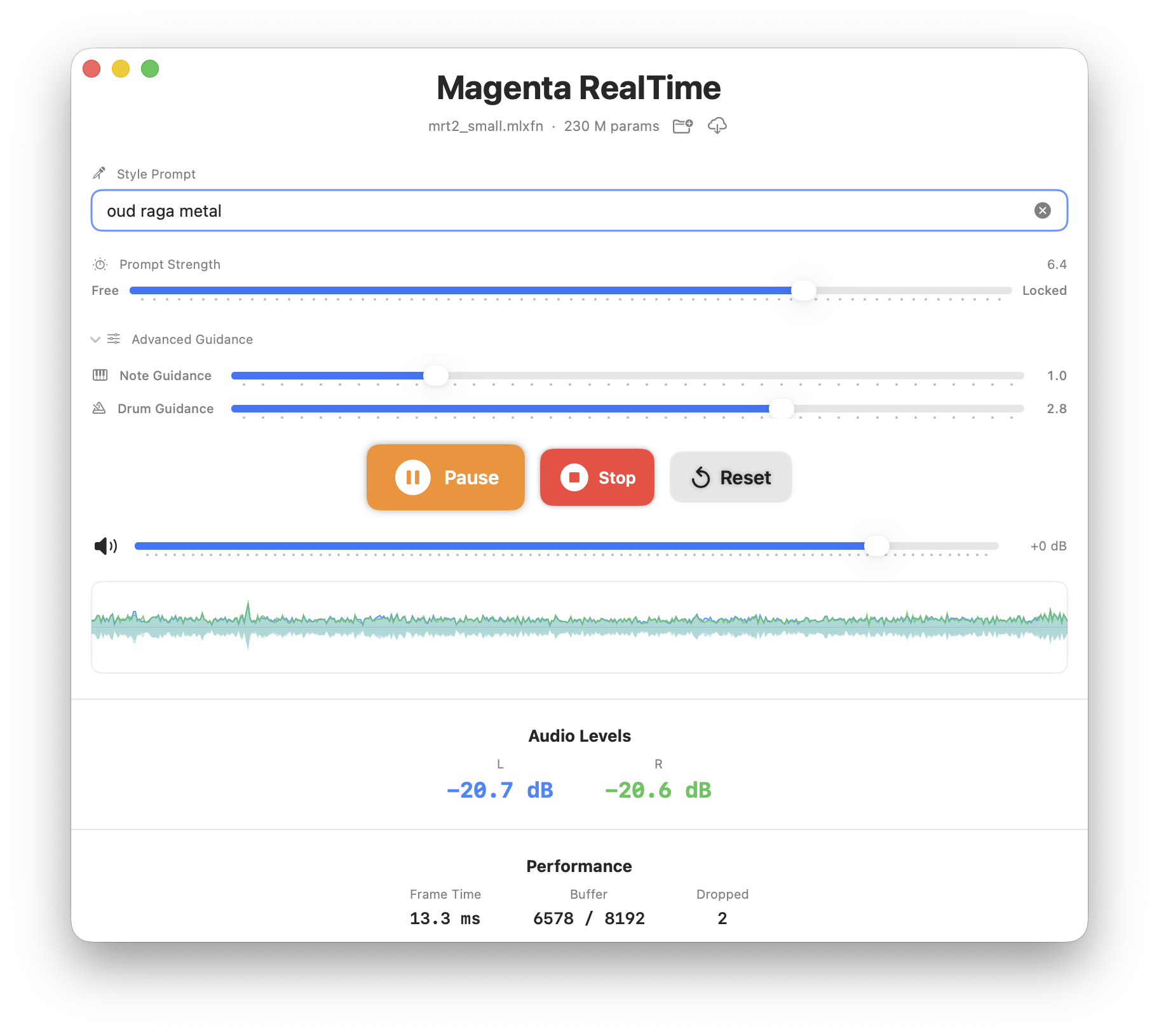
This covers what I've learned so far in building two players against it: a SwiftUI dashboard and a Rust CLI, both wrapping the same libmagentart_core.a.

What Is Magenta RealTime 2?
Magenta RealTime 2 is an open-weights music model from Google DeepMind's Magenta team, released in June 2026. Unlike offline models that turn a prompt into a finished track, MRT2 generates music live and continuously, and you steer it while it plays using text, audio, and MIDI. It is the second generation of Magenta RealTime, and it cuts control latency from about 3 seconds to about 200 milliseconds while dropping the hardware requirement from a TPU or datacenter GPU down to a MacBook.
Under the hood it is a codec language model. The SpectroStream codec compresses 48 kHz stereo audio into discrete tokens at 25 Hz, with 12 residual-vector-quantization tokens per frame, and a decoder-only transformer autoregressively predicts those tokens one 40 ms frame at a time. Three conditioning signals feed the transformer on every frame: a style embedding from the MusicCoCa text/audio encoder, a 128-channel MIDI pianoroll, and a drums on/off flag. Frame-level autoregression with frame-aligned conditioning is what makes the model react to a control change within a single frame. A sliding-window attention mechanism with a learnable attention sink keeps the KV cache bounded so generation can stream indefinitely.
The release ships in three layers, and which one you build against determines everything about your integration:
- A Python library (
pip install magenta-rt) for JAX/MLX inference. - A C++ inference engine that compiles the model to an
.mlxfncontainer and runs it on Apple Silicon GPUs through Apple's MLX framework. This is the layer both of our players link against, aslibmagentart_core.a. - A set of example applications (standalone apps, DAW plugins) built on that engine.
Two model sizes exist. The specs below are what the API and hardware expose:
| Property | Value |
|---|---|
| Model sizes | mrt2_small (230M), mrt2_base (2.4B) |
| Frame rate | 25 Hz (one frame = 1920 samples = 40 ms at 48 kHz) |
| Codec | SpectroStream, 12 RVQ tokens/frame, 48 kHz stereo |
| Style conditioning | MusicCoCa text or audio embeddings |
| Real-time control | Text, audio, MIDI notes, drums on/off |
| Runtime | C++ + MLX on Apple Silicon |
Each of those four properties (live generation, multi-signal conditioning, low latency, MacBook hardware) turned into a concrete problem when I tried to make a player that sounds right. The findings below cover the ones with a real outcome attached: what drops your prompt with no error, what makes clean audio sound broken, what to ship on which Mac, and which controls are worth putting in front of a user.
The Lifecycle Order Matters More Than You'd Expect
MRT2 loads in two independent pieces. load_model() brings in the transformer weights that generate audio tokens. init_assets() brings in the MusicCoCa stack, the tokenizer, text encoder, and quantizer that turn a text prompt into a style embedding. They are separate because you can run the model without a text prompt (feeding it audio or MIDI instead), so the engine treats the prompt encoder as optional infrastructure you opt into.
That separation is the trap. Skipping init_assets is documented, but the consequence is not: set_prompt() still appears to succeed. It returns no error, the engine runs, audio comes out. The music just never reflects your prompt. The model ships with hardcoded default MusicCoCa tokens for a piano loop (kDefaultMusicCoCaTokensPiano in mlx_engine.cpp), and without the text encoder loaded, those tokens never change. Every prompt you type produces the same piano.
The correct order:
runner->init_assets(resources_dir);   // loads tokenizer, text-encoder, quantizer
runner->set_prompt("lofi jazz piano");
runner->load_model(mlxfn_path);
init_assets must come first. set_prompt must come before load_model, because load_model auto-starts the inference thread, which pulls the active MusicCoCa tokens on its first frame. If you call set_prompt after load_model, the first frames use the piano default while the async encoder runs in the background.
Verify it worked by watching stdout for [MagentaRT] Combined Prompt (N) tokens: .... The token values should change per prompt. If every run shows the same values, init_assets didn't load or its path was wrong.
One more subtlety: encoding is asynchronous. After set_prompt, poll get_quantizer_status() and hold audio muted until it returns 2 (success). Opening the output stream before that gives you a short burst of piano before your prompt takes over.
The Ring Buffer Is Too Small by Default
Two clocks run inside a live music player, and they do not tick together. The GPU produces audio in bursts, one 40 ms frame at a time, whenever the transformer finishes an inference step. The sound card consumes audio at a smooth, unforgiving rate, pulling a fixed block every few milliseconds no matter what. A ring buffer sits between them to absorb the mismatch: the GPU writes frames in as they finish, the sound card reads samples out on its own schedule, and the buffer's job is to always have something ready when the sound card asks.
That only works if the buffer is deep enough to cover the GPU's worst pause. MRT2 generates one frame of 1920 samples every 40 ms at 48 kHz. The default virtual_capacity is 2048 samples: 128 samples of headroom over one frame, about 2.7 ms.
Metal GPU scheduling jitter on Apple Silicon regularly exceeds 2.7 ms. When the buffer runs dry before the next frame lands, read_audio_stereo zero-pads the gap. Alternating real audio and silence does not sound like the obvious click you'd expect from a dropout. It sounds like wobble or warping.
This is the practical takeaway: if the generated music sounds warbly or seasick, suspect the buffer before the model. I lost a bit of time (and tokens) treating it as a pitch or encoding problem when it turned out to be starvation. The two failure modes sound almost identical, and only one of them is fixed by changing a single integer.
Set the capacity to 8192 (the physical maximum, ~170 ms of headroom) before calling start():
magentart_set_buffer_size(ref, 8192)
magentart_start(ref)runner_unique.set_buffer_size(8192);I tested both 4096 and 8192 on an M5 base-tier Mac. mrt2_small was stable at either value (the transformer runs in ~14 ms, well inside the 40 ms budget). For mrt2_base on the same machine, both values produced identical unbounded frame drops (57–74 ms per frame against a 40 ms budget), which is a hardware throughput limit, not a scheduling jitter problem. The 8192 buffer is strictly better for mrt2_small and neutral for mrt2_base, so use it unconditionally.
On the startup side: the ring buffer is empty when start() is called, and the audio render callback fires within ~10 ms. Those first reads are zeros, which produces the same wobble artifact. Hold the engine in bypass for two frame durations (80 ms) after start(), then release it:
magentart_set_bypass(ref, true)
magentart_start(ref)
// 80 ms later:
magentart_set_bypass(ref, false)
Prompt Drift Is a Feature You Perform With
After 10–20 seconds of continuous generation, the music wanders away from the prompt. Set it to "lofi jazz piano" and a minute later it has drifted somewhere adjacent. This surprises people the first time, and it is the behavior most likely to read as "the model is broken" when it is working as designed.
The cause: the model conditions on its own recent output. The audio context window fills with the last ~20 seconds of generated music (~500 tokens) and starts to outweigh the 12 static style tokens from your prompt. The transformer is now answering "what comes next given what I just played" more than "what fits this style." This is the core mechanism of autoregressive generation with a long context window, and it is what lets the model produce coherent continuous music at all.
For a developer this means two things. First, do not expose the prompt as a fire-and-forget field and expect a track to hold that style for five minutes; give the user a way to reassert it. Second, drift is the raw material of live performance with this model, so surface the controls rather than hiding the behavior.
Two controls, and they solve different problems:
cfg_musiccoca (label it "Prompt Strength" in the UI) is the slow, always-on dial. It scales how hard the style embedding pulls: output = null_output + cfg_weight × (conditioned_output − null_output). At 1.0 the prompt is ignored, 3.0 (the default) gives light direction, 5.0–6.0 holds the style against drift. Turn it up when a listener wants a track to stay put, down when they want the model to roam.
trigger_reset() is the instant, one-shot control. It clears the audio context mid-playback without stopping the inference thread, and the model re-anchors to the current prompt within a frame or two (~40 ms) with no audible gap. In practice this is the single most useful creative control in the API. It is what makes "type a new prompt, hit a key, hear the music snap to it" feel immediate. Pair a live prompt field with a reset key and you have the core of a playable instrument.
mrt2_base Requires Pro/Max Memory Bandwidth
The documentation says mrt2_base runs in real time on "M1 Pro and above." I measured this on an M5 base-tier machine (newer generation, 32 GB unified memory) and it does not run in real time there: 57–74 ms per frame against the 40 ms budget, with frame drops that grow without bound regardless of buffer size.
The constraint is memory bandwidth, not compute. The 2.4B parameter model requires moving roughly 4.8 GB of FP16 weights through the memory subsystem on every inference cycle. Base-tier Apple Silicon chips, regardless of generation, don't have the memory bandwidth to sustain that at 25 Hz. The guidance should be read as "Pro or Max tier, any generation" rather than as a chip-generation cutoff.
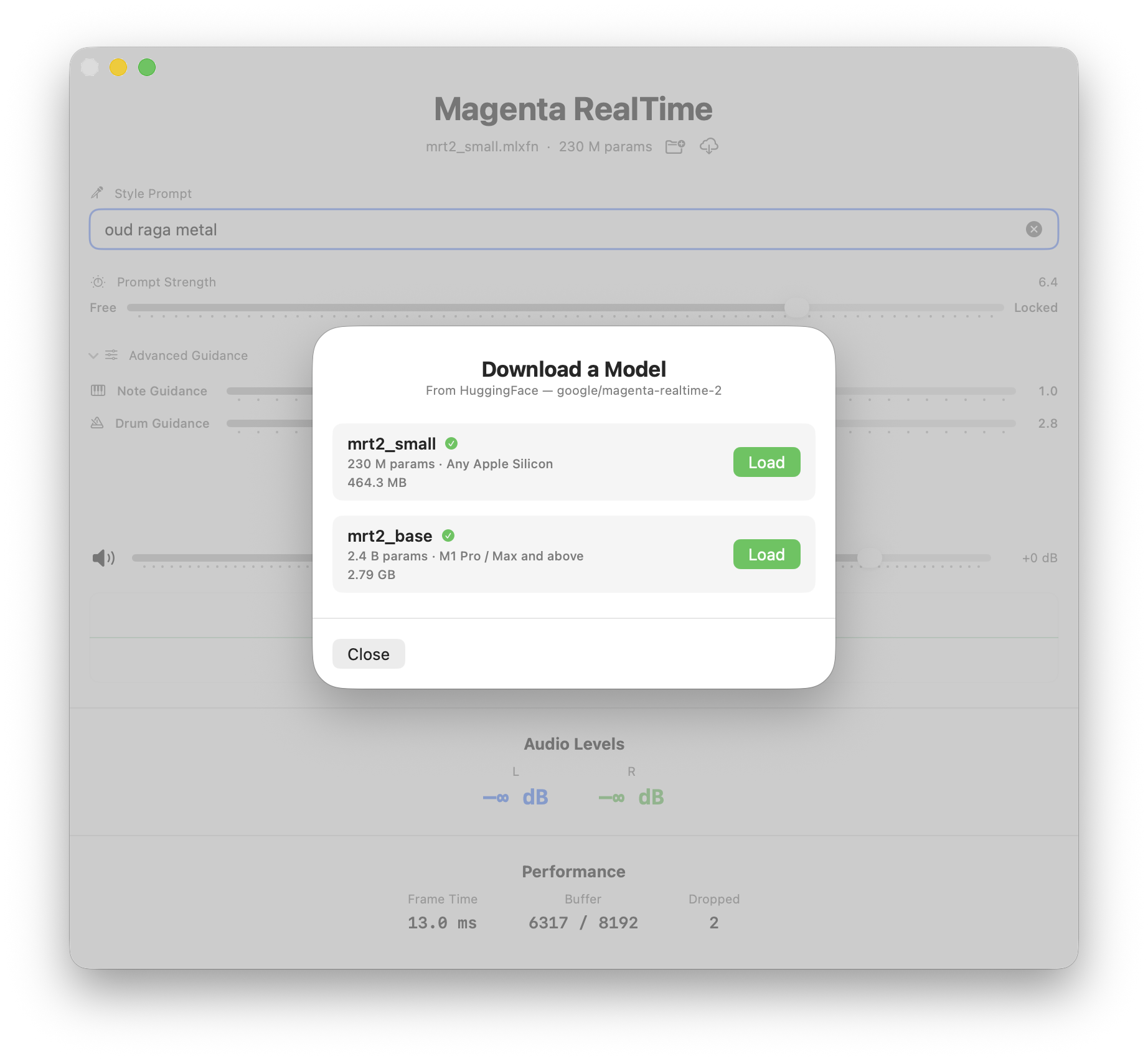
mrt2_small (230M parameters) runs in real time on every Apple Silicon Mac including the M1 Air. It generates at ~14 ms per frame on the M5 base-tier machine I have, leaving ~65% of the frame budget idle.
Measured on an M5 base-tier Mac (32 GB):
| Model | Transformer ms/frame | Budget | Result |
|---|---|---|---|
mrt2_small |
~14 ms | 40 ms | Stable, ~65% headroom |
mrt2_base |
57–74 ms | 40 ms | Throughput-bound, drops grow without bound |
The practical rule for a shippable player: default to mrt2_small, and only offer mrt2_base if you detect a Pro/Max/Ultra chip. On base-tier hardware mrt2_base will not just be slower, it will produce continuous audible dropouts that no buffer size can fix. Ship the model that plays cleanly on the machine in front of the user.
48 kHz Content on 44.1 kHz Speakers
If a listener plays through a Sonos, AirPods, or most Bluetooth speakers and the music sounds flat and detuned, this is why. MRT2 generates at exactly 48,000 Hz, and those devices are hardware-locked to 44,100 Hz. Whether that mismatch is a problem depends entirely on which audio stack you built on.
In Swift, it is not a problem. AVAudioEngine resamples between your 48 kHz source node and the device rate on its own. You do nothing.
In Rust via CPAL, it is your problem. CPAL writes to whatever rate the device reports, with no resampling. Feed 48 kHz samples to a 44.1 kHz stream and they play at 91.875% speed: a flat pitch shift any musician will catch, plus a slow warble as the clock mismatch drifts the ring buffer.
Two ways to handle it. The zero-code option for users: play through the built-in MacBook speakers, or set the output device to 48 kHz in Audio MIDI Setup. The real fix for a shippable player: a linear resampler in the CPAL callback. Maintain a fractional accumulator across callbacks, pull ceil(output_frames × ratio) input frames each time, interpolate between adjacent samples, and carry the last sample across the block boundary to avoid clicks. It costs almost nothing and makes the player sound correct on any device the listener happens to own.
The Default Blend Weights Dilute Your Prompt
RealtimeRunner initializes its blend weights as 0.5 for slot 0 and 0.5 for slot 1. The blend system is designed for a 2D "prompt surface" where four corner prompts are mixed by cursor position. If you only set one prompt (slot 0) and don't touch the blend weights, the engine mixes your prompt 50/50 with the empty default (which falls back to the factory piano tokens).
For a single-prompt player, set the weights explicitly:
runner->set_blend_weight(0, 1.0f);
runner->set_blend_weight(1, 0.0f);
runner->set_blend_weight(2, 0.0f);
runner->set_blend_weight(3, 0.0f);
This is the same failure as the init_assets piano, reached by a different path, and it is worth checking whenever a prompt sounds half-hearted rather than absent. A diluted prompt is quieter and vaguer, not silent, which makes it easy to mistake for the model just being noncommittal.
Pause Is Not Stop
Because the model conditions on its own recent output, the audio context window is state you usually want to protect. Pause and Stop differ in whether they keep that state, and getting the two mixed up produces a jarring restart where the user expected a seamless resume.
set_bypass(true) silences the audio while the inference thread keeps running. The ring buffer keeps filling. When you release bypass, generation resumes from the exact musical moment with no click, no priming delay, and no context loss. That is Pause.
stop() halts the inference thread. Restarting costs the full 80 ms priming delay plus a trigger_reset() to clear stale state, so the resume starts from a cold context, not where the music left off. Use stop() when the user explicitly ends a session, not for pause.
The Engine Writes to stdout on Background Threads
mlx_engine.cpp contains several raw std::cout calls that fire on detached background threads. The prompt encoder logging ([MagentaRT] Combined Prompt (...) tokens: ...) is one of them. When a TUI player owns the alternate screen, those prints land directly on the terminal buffer and corrupt whatever is drawn there.
Patching upstream C++ is not an option. The fix in the Rust player: redirect the process's stdout file descriptor (fd 1) to /dev/null for the duration of the TUI session, while routing the TUI's own output through an explicit /dev/tty handle. This separates the two cleanly: the engine's stray writes go to /dev/null, and the player's UI draws to the real terminal.
// Open /dev/tty for TUI rendering (not stdout)
let tty = File::options().read(true).write(true).open("/dev/tty").ok();
// Only silence fd 1 when we have a separate /dev/tty to draw on
let _silencer = tty.as_ref().map(|_| StdoutSilencer::new());
// Back ratatui with the /dev/tty handle, not std::io::stdout()
let backend = CrosstermBackend::new(tty_handle);
Don't Expose cfg_notes Until You Have MIDI
cfg_notes weights the MIDI note conditioning, and it is inert until MIDI notes are flowing. With no note input, the conditioned and unconditioned passes for the notes signal are byte-identical (every pitch slot holds the mask sentinel in both), so the CFG contrast term is exactly zero. Any value produces the same audio.
The pragmatic outcome: if your player has no MIDI input yet, do not put a "Notes CFG" slider in the UI. A user will move it, hear nothing change, and conclude the app is broken. I added the parameter wired in the code for when I decide to make the next obvious move and either get MIDI DAW or spend money on something other than tokens, but it stays out of the controls until it does something. The same logic applies to any conditioning signal you are not yet feeding.
See the code and the applications at https://github.com/ghchinoy/magenta-player